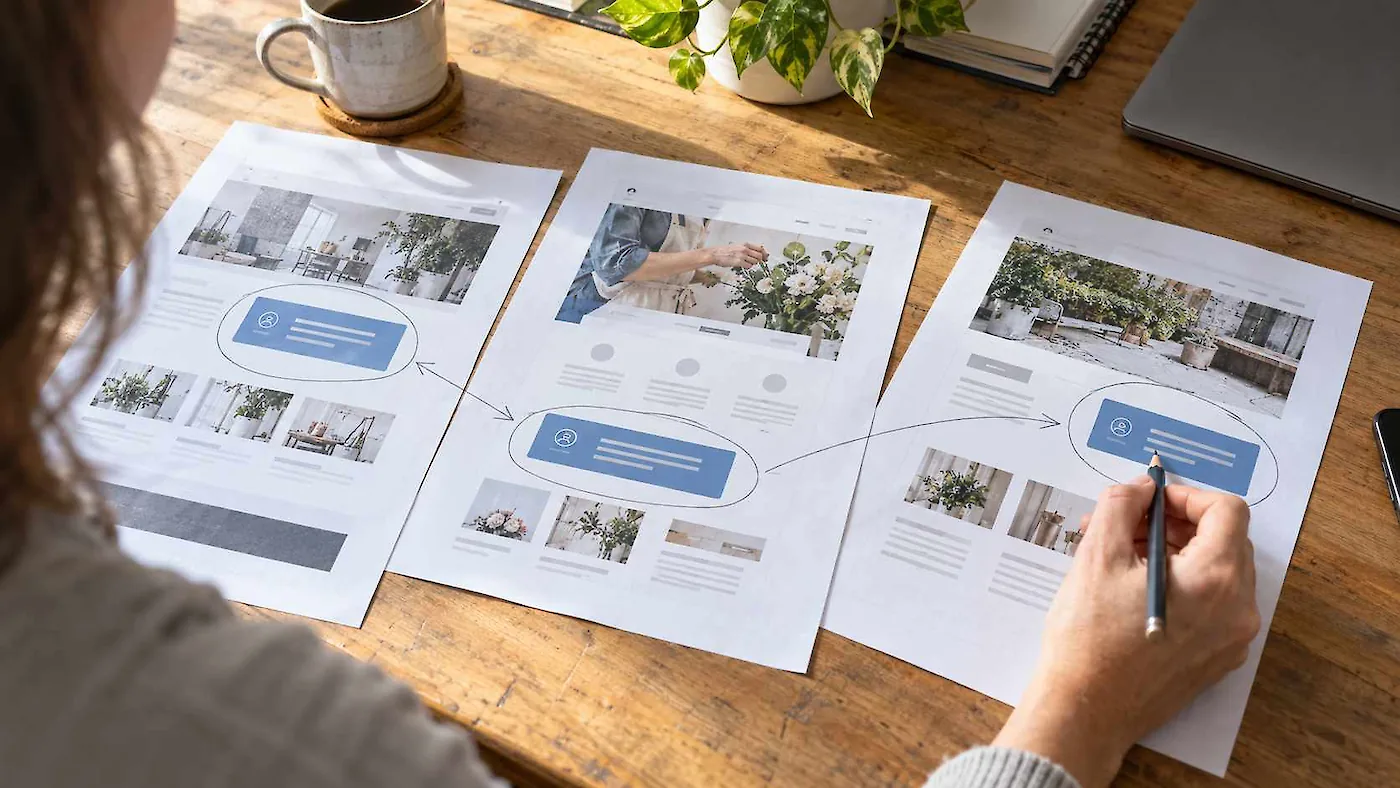
A quick website draft can be a useful start. Check how easily you can maintain its content as well as how it looks and works today.
You have chosen a layout, added your business name and started replacing the sample content. Perhaps an AI website builder has produced several pages from a short description. There is something on screen that you can picture using for your business.
Having a draft can make it easier to see what you like, what is missing and what needs explaining.
Before customers use it, check whether the website describes your business accurately, makes sense to someone new and lets them do what they came to do. You also need to understand what it will cost and who will look after it.
For a straightforward website, finishing that work yourself may be reasonable. Other projects need more help than the first draft suggests.
Some clients have come to Clip Magic after finding that building their own website did not necessarily mean better quality, lower cost or faster completion. Keeping the content up to date after the pages have been built can become difficult too.
Think beyond building the pages
The term “page builder” describes much of this initial work. Arranging text, pictures and buttons on a page is one part of creating a website. Managing that information as the business changes needs attention too.
For example, imagine that a service appears on your homepage, its own page and a team member’s profile. When the service changes, how many places will you need to edit? Can you update the information once and have it appear wherever it belongs, or do you need to find each copy yourself?
Before committing to a builder, try an ordinary future task: change a service description, add a team member or remove an offering. Notice how much you need to remember and whether the update disturbs the layout.
The available tools vary. Check how the system handles your content and how you would use it. Ask the same questions of a professional build. You will be working with the website long after its first pages are finished.
Check the business details before polishing the words
Start with the information a customer needs to make a decision.
Does the draft explain what you actually offer, who it suits and where you work? Are contact details, qualifications and any prices correct? Is it clear what happens when someone gets in touch?
If AI helped write the content, read every claim. Remove services you do not offer, promises you cannot support and descriptions that could belong to almost any business.
The fuller guide, Can a stranger, Google or AI understand your business?, looks at that gap between what an owner knows and what the website tells a visitor.
Look at the design as a customer
Your choice of template gives you a starting layout. It still needs to work with your wording, photographs and business identity.
A photograph may lose its subject when cropped on a phone. Several equally prominent buttons can make it difficult to see which action matters.
Look at the page as a whole. The most useful information should be easy to find, the text comfortable to read and the images relevant to the business.
A template can also start making content decisions for you. Shortening or reshaping an explanation to fit a box can distort what you need to say. Adding another paragraph simply because there is space to fill gives the reader more to work through without helping them understand the business.
Sometimes the explanation needs more room than the layout allows. A longer service description can push a button below its neighbours or leave a row of content boxes out of alignment. A layout that looked balanced with sample text may need adjusting once your actual content goes in.
Let the message determine how much space it needs. Adapt the layout where you can, and remove sections that serve no useful purpose. Each part of the page should help the visitor understand something or take a relevant next step.
Follow the next step all the way through
Choose one task a customer should be able to complete. Start with finding out whether you serve their area, asking about a service or arranging an appointment.
Begin at the homepage and follow the route through. Notice whether the visitor gets the information they need before being asked to act.
A button labelled “Book now” sets an expectation. If it opens a general enquiry form and someone still needs to discuss availability, “Ask about an appointment” may describe the process more accurately.
Check what happens after the form as well. The visitor should understand whether their request was sent and what to expect next. Confirm that the enquiry reaches the person responsible for answering it. Use clearly labelled test details when checking your own site.
Try it beyond the preview
Open the draft on a phone and a computer. Read the longer pages, open the menu and try the important links. Look for text that becomes cramped, awkward image crops and controls that are difficult to use.
Try enlarging the text and moving through links and form fields with the keyboard. Check that you can see which item has focus and that fields have clear labels.
The W3C’s Easy Checks for web accessibility provides a useful starting point. It also explains the limits: a page can pass those initial checks and still have accessibility barriers.
Understand the cost and ongoing work
Before choosing a paid plan, check that it includes the features your website needs. Look at renewal prices as well as introductory offers, and establish who controls the domain name and account.
Find out what happens if you want to move later. Check what content and images you can retrieve and what would need to be rebuilt. The answers depend on the platform and plan, so read the provider’s current terms rather than assuming every builder works the same way.
Ask what the provider maintains and what remains your responsibility. Make sure the person updating the content knows how to do it, and who to contact when they need help.
Include your own time when weighing up the options. If you enjoy the work and can judge the result, that may be time well spent. If you are repeatedly stuck, it is worth identifying the obstacle before spending another evening trying different settings.
Choose the help the job needs
Continuing with a builder may suit you when the website has a clear, limited purpose, the available features meet it and you are comfortable managing the result.
Professional help may be worthwhile when you need to organise information used across several pages, develop a distinctive design or work out how a booking, enquiry or ordering process should operate.
Describe the particular problem when asking for help. “Customers need to find their local operator before enquiring” gives a clearer starting point than “the website needs to be better”. It helps establish whether a focused change is enough or whether a different approach to the website is needed.
Before calling the draft ready, check that:
- the information accurately describes your business;
- a new visitor can find and complete the main next step;
- the layout and controls work on the devices you have checked;
- you understand the charges and control the accounts you need; and
- the person keeping the website current can make routine content changes without struggling with the page layout.
Use anything you cannot yet answer to decide what to work on next. You may be able to finish it yourself. You may need help with one part, or a professional build with a clearly defined scope.