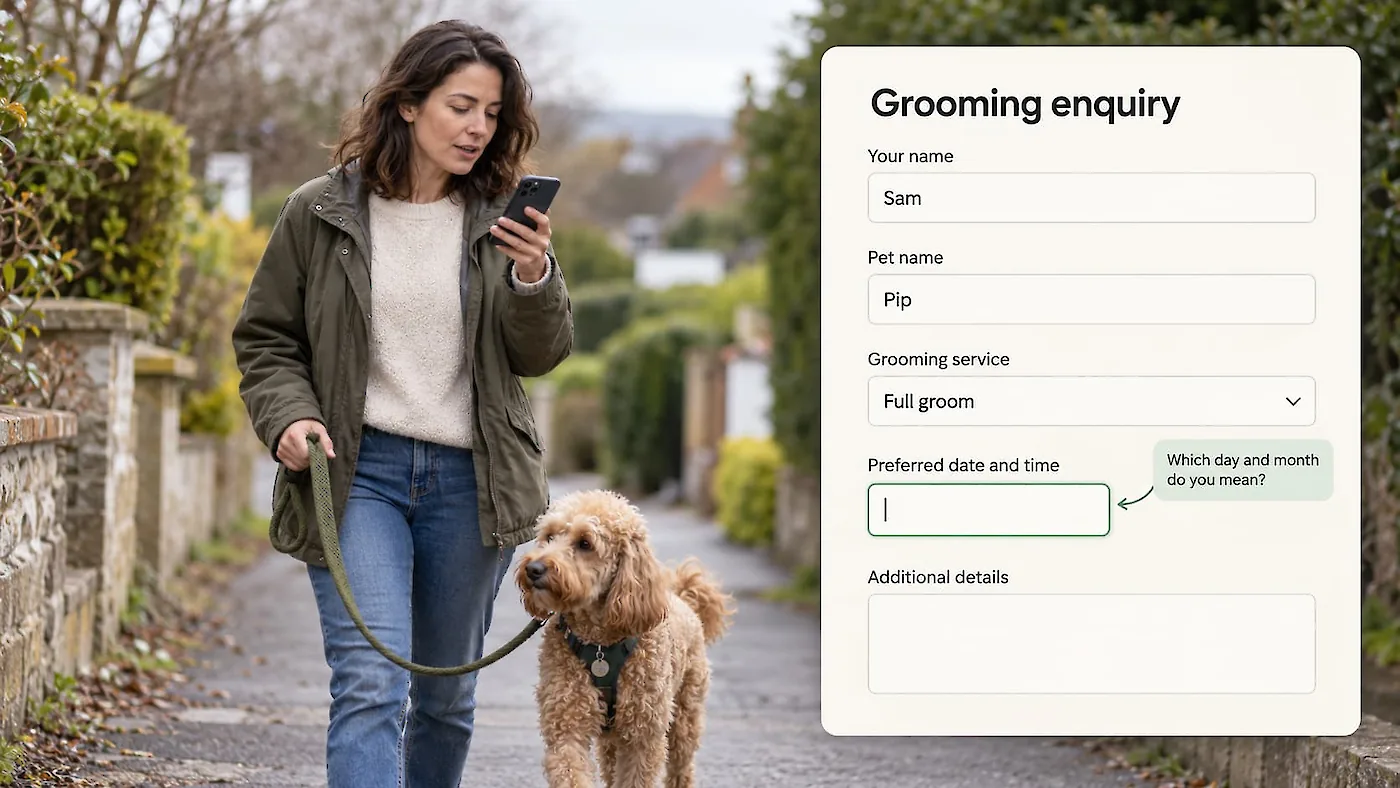
A form-aware AI assistant can use a form’s actual questions, choices and conditions to guide visitors by voice or text. Clip Magic built FormBuilder GPT-Live for ProcessWire FormBuilder so visitors can answer naturally, check what was entered, switch to typing or leave the assistant and use the regular form.
“Tell us what you need” sounds simple. Then a quote form asks what kind of job it is, where the work is, which options apply, and details that appear only after earlier answers.
An AI assistant that understands the form can let someone explain their request in ordinary language, then guide them through the questions that matter for that particular form. Someone might welcome that guidance through a long or conditional form, or simply prefer speaking to typing. Even a short form can offer that choice.
Voice input is not the same as guided help
The phrase “voice technology” covers a few different things.
Speech-to-text, also called speech recognition, listens to a person and turns recognised speech into text. A phone keyboard may offer this as dictation. It can save typing, but by itself it does not know what a particular booking form means, which answer choices are valid, or why another question has appeared. MDN explains speech recognition and speech synthesis in its Web Speech API guide.
Text-to-speech (TTS) works in the other direction. It reads text aloud. A screen reader or a spoken prompt can help someone hear labels and instructions, but TTS alone does not collect answers or guide a person through a form.
Natural-language assistance lets a visitor describe what they want in their own words and have a system interpret that request in context. For a form, the important question is what context the assistant has. A general voice agent may hear “I need a quote for a small bathroom renovation” and respond fluently. But unless it knows the form’s actual fields and rules, it may guess what details to ask for or miss a question that only becomes relevant after a particular choice.
Guided conversational form assistance uses the form’s actual fields, answer choices and conditions to interpret what a visitor says and guide them through the questions. It can put supported answers in the corresponding fields and ask for missing or unclear details. That context lets the agent help someone complete the form, whether it is a simple enquiry or a booking with several conditional steps.
A quote form has its own logic
Imagine a business that provides several kinds of home services. A visitor asks for a quote. The first answer determines which questions come next: perhaps the kind of property, the service needed, the size of the job, the location, timing, and contact details.
If the visitor selects one service, a set of follow-up questions appears. If they select another, a different set applies. A free-text box might accept useful context, while a date field needs a date in a format the form can use. The form may span several pages, with required fields and validation at each step.
With a guided conversation that can see the current form fields and their conditions, the visitor can say something like, “I need a quote for repainting two bedrooms in a unit, ideally next month.” The assistant can enter supported details, ask a follow-up when something is unclear, and continue with the relevant visible questions.
The assistant should use the answers the visitor has given, ask for missing details, and leave decisions about consent to the visitor.
Accessibility includes ordinary moments
Accessibility is often discussed as though it concerns only a separate group of people. In practice, access needs can be temporary, situational or simply part of how someone prefers to use a site.
Typing a long request on a phone can be slow and awkward. A person may be standing, holding a child, commuting, dealing with a sore hand, or simply prefer to explain the job rather than tap through a sequence of small fields. W3C’s guidance on accessible forms applies to people with and without disabilities: clear labels and instructions, understandable validation, and logical steps help more people use forms. It also recommends keeping forms simple and asking only for information needed to complete the process. W3C, Forms Tutorial
Conversational assistance should sit alongside a form that already works well. Visitors should still be able to read the form, type into it, use their device’s own speech tools, or stop the conversation and return to the ordinary controls. Making speech compulsory would create a barrier for people who prefer or need another way to interact.
What Clip Magic built
Clip Magic created FormBuilder GPT-Live for websites built with ProcessWire and FormBuilder. The module gives a configured AI agent context about the enabled form’s supported fields, choices and conditions. It can guide a visitor through the current page, prepare answers in the corresponding fields, and continue through a multi-page form.
Visitors remain in control. They can speak, type, or use both. Answers appear in the form so they can be checked and corrected. They can pause the assistant, move through the normal form controls, or complete the form themselves. By default, visitors submit the form themselves. An optional setting lets the assistant submit only after the visitor has reviewed the form and explicitly confirmed. FormBuilder continues to validate and process submissions.
The voice assistant needs an internet connection, a supported browser, and microphone access. Voice audio and supported form details are sent to OpenAI to provide the assistance, and API usage is paid by the site owner through the configured account. Businesses should explain this data handling to visitors before enabling the feature and check that it fits their privacy approach. The module documentation describes these requirements and data flows.
Visitors need to check the entered answers, and server-side validation still needs to run when the form is submitted. W3C recommends giving people a chance to review and correct input, and making errors understandable. W3C, Validating Input
GPT-Live works within the questions and flow represented by a ProcessWire FormBuilder form. Some specialised fields may still need to be completed manually. The regular form remains available if voice assistance is unsuitable or unavailable.
Could a talking form help your visitors?
Start with how your visitors would prefer to complete the form. Some may want to speak rather than type, even when the questions are straightforward. Others may appreciate help explaining a request or working through questions that depend on earlier answers. Look at the form’s actual questions and where guidance could be useful.
Then check the basics. Remove questions the business does not need. Use clear labels and instructions. Make required fields and errors understandable. Keep the form usable with a keyboard and assistive technology. Make it obvious that visitors can type, correct answers and continue without the assistant. These fundamentals help whether or not a conversational feature is added.
A guided conversation gives people who prefer speaking another way to complete a form. It may also make a complex form feel more manageable and reduce the effort of entering a detailed request. Whether that improves completion or conversions depends on the particular audience, form and implementation, so it should be evaluated with the actual site and visitors rather than assumed.
Start with clear questions and accessible controls, then test whether a form-aware assistant helps your visitors complete the form.